Editor-first security

A VS Code Security Extension for Teams That Want the Signal Early

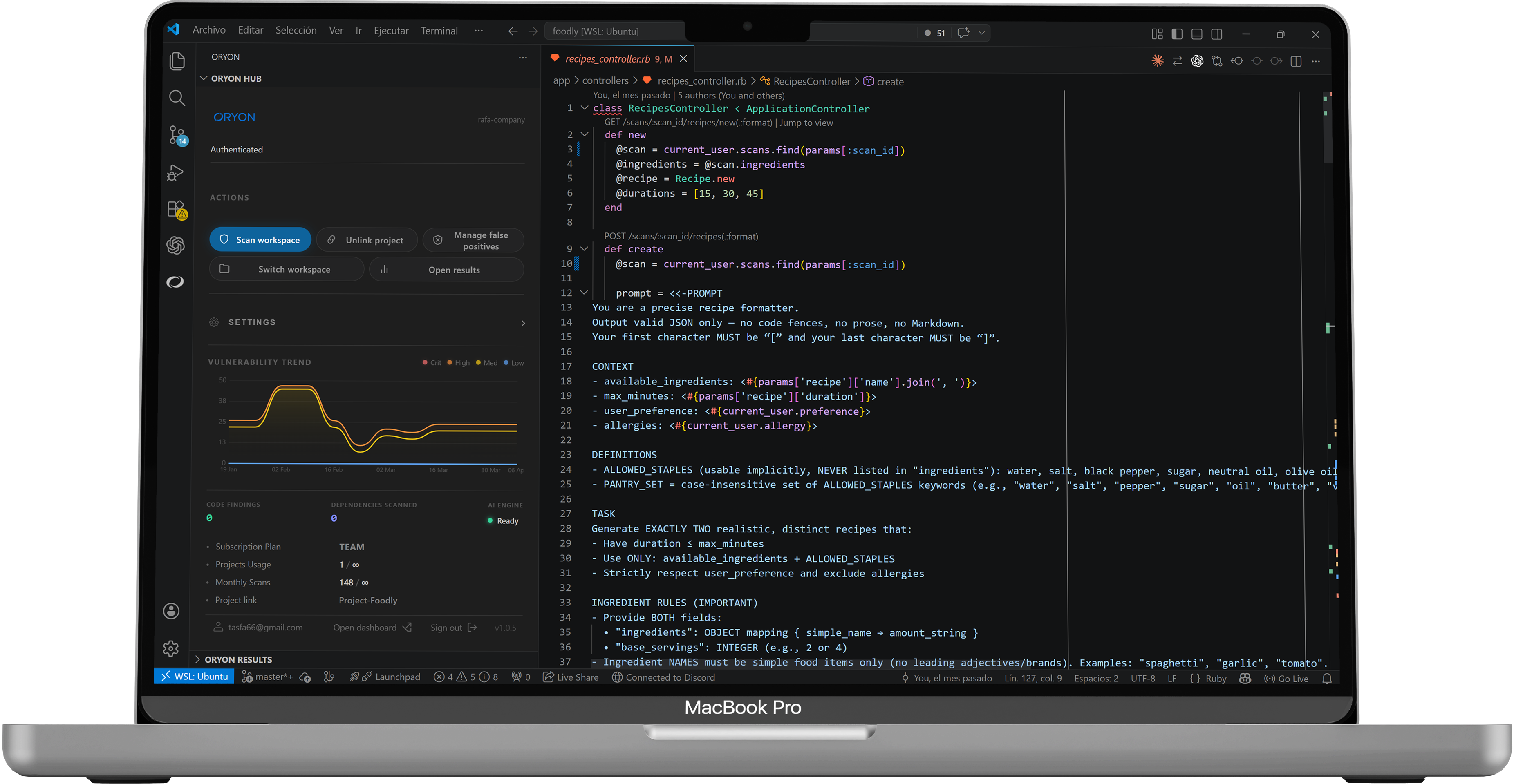
Oryon brings code and dependency analysis into VS Code and compatible forks, applies conservative AI triage, and syncs team memory to the dashboard only when the repository is linked.

Oryon security findings inside VS Code

Search intent

Why teams look for a VS Code security extension

What the team is usually trying to fix

  • Security feedback arrives too late, after CI or review cycles have already become expensive.
  • Developers lose trust because the tool generates too much noise and not enough context.
  • The team wants repository history and shared suppressions without making the cloud the scanning engine.

How it works

From local scan to shared security memory

01

Scan in the editor

Inside VS Code

The extension analyzes files while you edit or save, and can scan the whole workspace on demand.

Why it matters

Developers see the signal while the code is still changing, not after the work has already moved downstream.

02

Reduce noise conservatively

Inside VS Code

Oryon applies shared suppressions, a heuristic prefilter, and a strict two-pass AI triage flow.

Why it matters

If the system is unsure, the finding stays. That keeps trust higher than workflows that silently over-filter.

03

Sync team memory only when it matters

Inside VS Code

Once a repository is linked, findings and dependency data sync to the dashboard in bulk, tied to the same repo fingerprint.

Why it matters

The dashboard becomes shared memory for projects, scans, suppressions, and follow-up without turning the cloud into the scanner.

Best fit

When Oryon is the sharper fit

Choose Oryon if

  • Your engineering team lives in VS Code or compatible forks and wants the shortest path from finding to action.
  • Privacy, local analysis, and low review friction matter more than a larger platform footprint.
  • You want the IDE to be the front door and the dashboard to be the shared memory behind it.

Choose something else if

  • Your editor is secondary and most security work is organized around a broader server or SaaS platform.
  • Your program depends more on centralized policy administration than on a developer-first daily workflow.
  • You need the broadest possible AppSec surface today more than a tighter VS Code loop.

FAQ

Questions teams ask before installing

Does Oryon upload our code to scan it?
No. Code and dependency analysis run locally in the IDE. Oryon only syncs findings, metadata, and the minimum context needed for AI, authentication, or the dashboard.
Can the AI hide real vulnerabilities?
The triage flow is intentionally conservative. A finding is only dropped if both passes agree on drop; on conflict, timeout, error, or uncertainty, Oryon keeps the finding.
What editors does it fit best today?
Today the best fit is VS Code and compatible forks such as Cursor or Antigravity, where the local-first workflow and repository-linked dashboard sync create the clearest advantage.